For Intro to Digital Technolgy.

Computer Networking
There are many factors to computer networking. Network, node, segment, backbone, topology, Local area network (LAN), Wide area network. (WAN), Network interface card (NIC), Media access control (MAC) address, Unicast, broadcast, and multitask are all the basics to understanding computer networking.
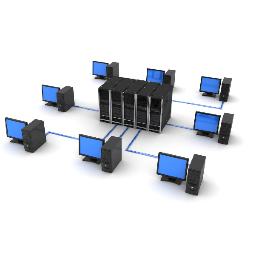
A network is a group of computers connected together, that in a way allows information to be exchanged between the two computers.
A node is anything that is connected to the network. Some examples are printer and a CD-ROM tower.
Segments are a portion of a network that is separated. It can be separated by a bridge, switch, or router.
The backbone of a network is the main cabling system that connects all the segments
Topology is the way that each node is physically connected to the network.
The LAN is an important part of the computer network too. LAN is a network of computers that are in the same area.
On some occasions when the gap between computers are too large they are connected via WAN or wide area network
Network interface card, every computer and the vast majority of devices use the network interface card to connect to a network through the it (NIC)
Media access control (MAC) address. MAC address is the physical address of any device. An example is the
Network interface card. The MAC address is made up of two equal parts, 6 bytes long. The first three bytes identifies the company that made the NIC and the last three bytes tell us the exact serial number to the NIC itself.
Unicast is the transmission of one node to another specific node.
In Multicast a node sends a packet addressed to a special group address, devices interested in the group register to receive packets addressed to the group.
Finally, in a broadcast a node sends out a packet that is intended for transmission to all other nodes on the network.
What is a packet?
A packet is a piece of a message that is transmitted over a packet switching network. The key feature of this digital message is that it contains the the destination address in addition to the data. In IP networks packets are usually called data grams.
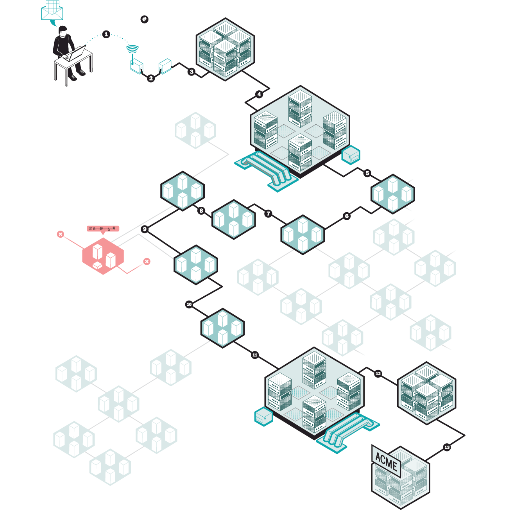
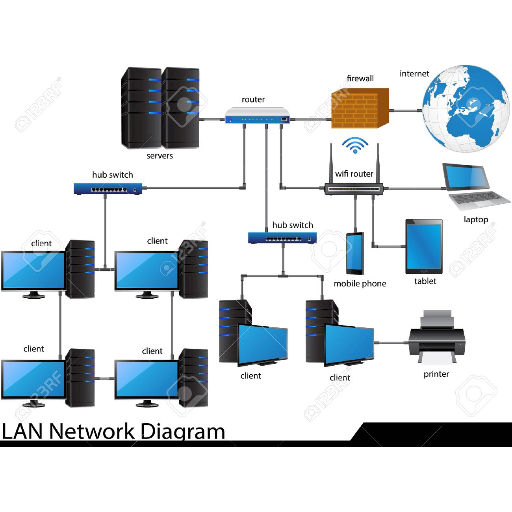
Local Area Network
There are two classifications for network technologies belonging to one of the two basic groups. LAN or Local Area Network technology connects many devices that are relatively close to each other, which usually is in the same building. LAN
networks are usually
faster and more
reliable than their
WAN counterparts.
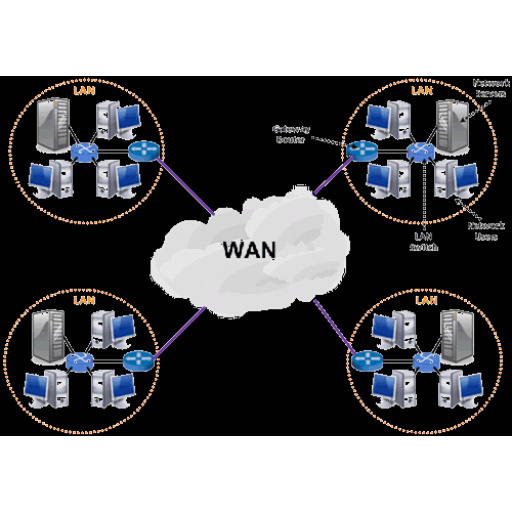
Wide Area Network
Wide area network, otherwise known as WAN technologies connect smaller number of devices that can be many kilometers apart. As an example, you can use a school. A school uses LAN but is often connected to a WAN such as the internet. Similarly fiber optic cables have allowed LAN
technologies to
connect devices many
kilometers apart,
while at the same time
greatly improving the
speed and reliabilty
of WANs.
IP Addresses
The format of an IP address is a 32-bit numeric address written as four numbers separated by periods. The numbers can range from 0-255. If you are in an isolated network, you can assign IP addresses at random as long as they are unique. However, private networks to the internet requires using a registered IP address - called internet address- to avoid duplicates.
IP addresses can be either static or dynamic. A static IP address will never change and it is a permanent Internet address. On the other hand, a dynamic IP address is a temporary address that is assigned each time a computer or a device accesses the internet.
The four numbers in the IP address are used in different ways to identify a particular network and host. Four regional registries are ARIN, RIPE, NCC, LACNIC and APNIC. They assign Internet address to three classes. Class A, Class B, and Class C. Class A supports 16 million hosts on each 128 networks, Class B supports 65,000 hosts on each 16,000 networks, and Class C supports 254 hosts on each 2 million networks. However, since the number of unassigned internet addresses are running out a new classless system called CIDR id gradually replacing the system based on classes and is tied to adoption of IPv6. In IPv6 the IP address size increases from 32-bit to 128-bits.
If you wish to check your IP address, you can use the "ipconfig" tool. "ipconfig" displays all current TCP/IP network configuration values and refreshes Dynamic Host Configuration Protocol (DHCP) and Domain Name System (DNS) settings. To launch it from a windows based computer please follow the following steps.
-click: start > all programs> accessories > command prompt. Type in "ipconfig" then press enter.
-You can also use google to check your IP address. just type in "what is my IP address" in the search engine and Google will show the IP address of the computer on the top result.
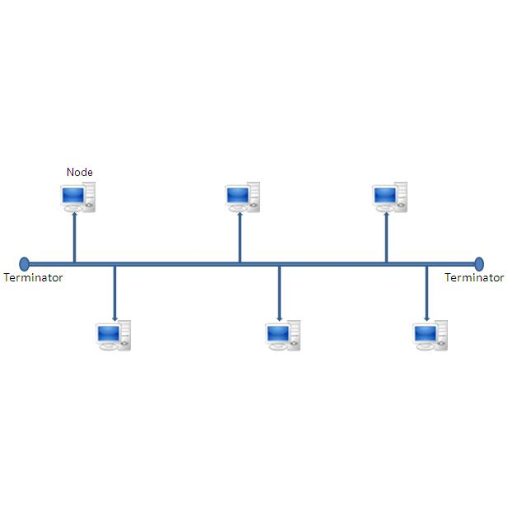
Bus Topology
Each node is daisy chained, basically connected one right after the other along the same backbone. Information travels along the backbone until it reaches it's destination road. Each end of the bus network must be terminated with a resistor to keep the signal that is sent by a node across the network from bouncing back when it reaches the end of the cable.
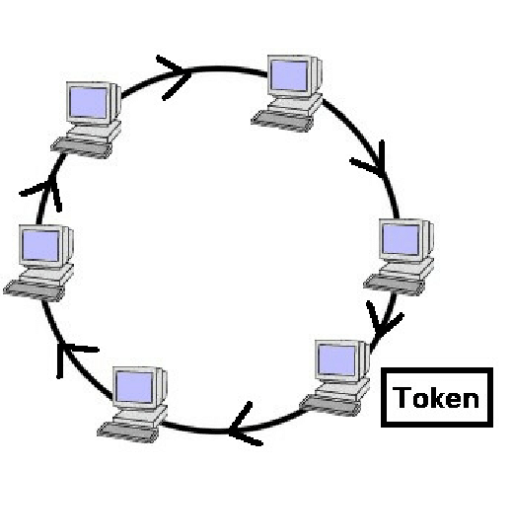
Ring Topology
Ring topology, like bus topology has nodes that are daisy-chained. The difference is that the end of the network comes back to the first node, creating a complete circuit. In a ring network, each node takes a turn sending and receiving information through the use of a token. The token, along with any data, is sent from the first node to the second node, which extracts the data addressed to it and adds any data it wishes to send. Then, the second node passes on the token and the data to the third node, and so on until it returns to the first node again. Only the node with the token is allowed to send data. All the other nodes must wait for the token to come to them.
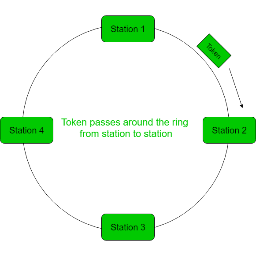
Tokens
So what are these tokens that ring topology uses? A token is a series of bits that travels around the token ring network. When the token goes around, computers attached to the network can capture and use it. The token acts like a key allowing the computer that owns it to send messages across the network. There is only one token per a network so there is absolutely no chance for two computers to attempt to transmit messages at the same time.
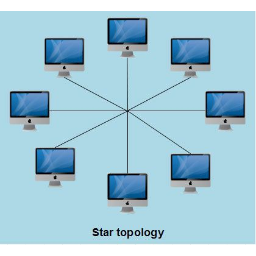
Star Topology
In a star network, each node is connected to a central device called hub. The hub takes any signal that comes from a signal and passes it on to all the other nodes in the network. A hub does not perform any type of changing or rerouting of the data. It's one and only job is to be a junction that joins all the different nodes together.
Tree Topology
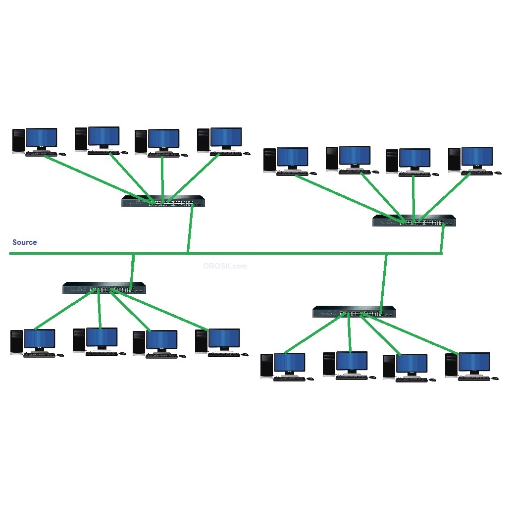
Tree topology combines the characteristics of a star and linear bus topologies. It is made up of groups of star configured workstations connected to a linear bus backbone.
Protocol
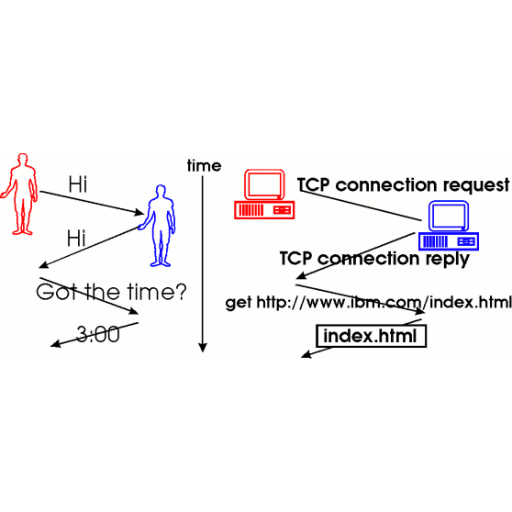
A protocol is an agreed upon format for transmitting data between two devices. Protocols are used to determine an error, data compression if there is any, and finally how the sending device will indicate when it is done sending the message.
Peer Peer Architecture
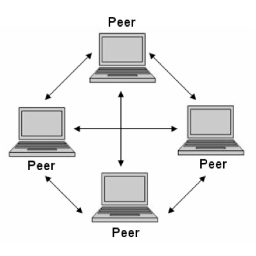
Many simply abbreviate the name to P2P or peer to peer, which is a type of network where each workstation has equivalent capabilities and responsibilities. Peer to peer networks are generally simpler, but they do not offer the same performance as client server architectures when under heavy loads.
- Full access to our public library
- Save favorite books
- Interact with authors
- < BEGINNING
- END >
-
DOWNLOAD
-
LIKE
-
COMMENT()
-
SHARE
-
SAVE
-
BUY THIS BOOK
(from $5.79+) -
BUY THIS BOOK
(from $5.79+) - DOWNLOAD
- LIKE
- COMMENT ()
- SHARE
- SAVE
- Report
-
BUY
-
LIKE
-
COMMENT()
-
SHARE
- Excessive Violence
- Harassment
- Offensive Pictures
- Spelling & Grammar Errors
- Unfinished
- Other Problem





COMMENTS
Click 'X' to report any negative comments. Thanks!