This book is about technology tools I have learned about in my IDT Technology Course at The University of Memphis. I want to thank both my professor and his awesome team for introducing me to these amazing tools I will be able to incorporate in my future classroom.

Module 1: Learning with Technology
Padlet:
What is Padlet?
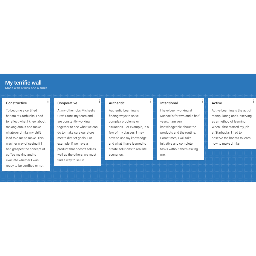
- Padlet is an online graffiti wall that allows a person to brainstorm ideas, collaborate with a group, and write thoughts digitally.
- I used to think that Padlet was not going to be as useful as an in class discussion, but when using it in class, i realized that it is a great way to get shy people out of their comfort zones. Students can also see what their classmates have responded and compare and contrast their responses.
Module 2: Productivity Tools
Google Form:
What is Google Forms?
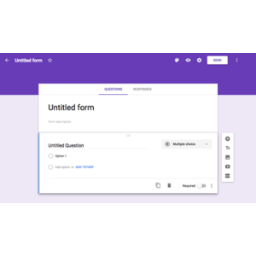
- Google Forms is survey or informational app, that allows a person to be able to create questions for others to answer.
- I did not even know that it was a feature that Google offered, but I think it is an exceptional tool to use as a teacher. Teachers can use it to make Student Information sheets. Everything will be filed digitally, so teachers do not have to worry about losing paper!
Module 3: Digital Organization
What is Pinterest?
- Pinterest is a online digital folder that allows you to find recipes, DIYs, and other inspirational ideas. Once you find ideas that you like, you can add it into a folder and save it for later!
- I used to think that Pinterest was only useful for finding crafts and recipes, but throughout the year, I have used Pinterest in my Technology in Education course to find projects for future teachings and other educational materials that relate to my field of study. Pinterest offers so many unique ideas for millions of things you may be thinking or looking for. So, if you are ever out of ideas for school or in general, TRY Pinterest.
- You can go online to Pinterest.com or download the app on your smartphone.
Pinterest:
Left: In the search bar, I typed "Science Fair Projects." and these were some of the results.
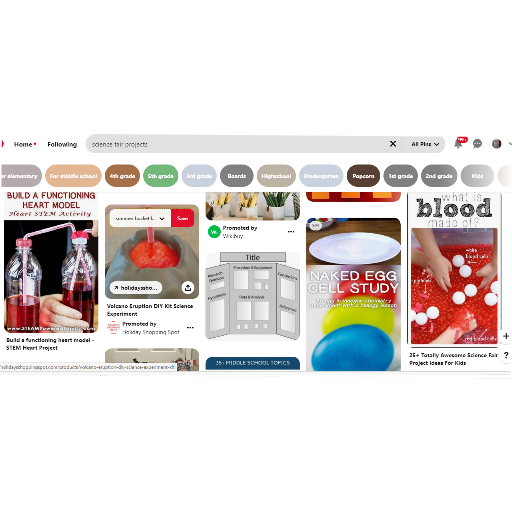
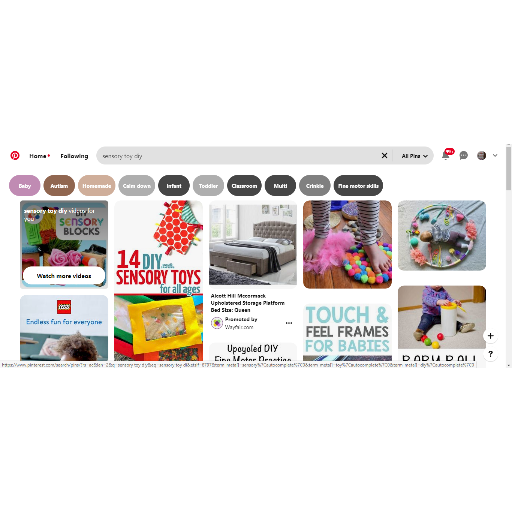
Right: In the search bar, I typed "Sensory toy DIY," and these are some of the results.
Module 4: Digital Citizenship, Online Safety, and CyberBullying
E-Volve Game:
What is E-Volve?
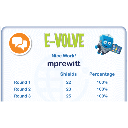
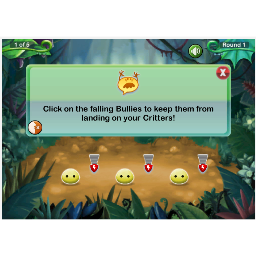
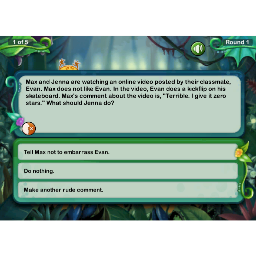
- E-volve is an online simulator that gives you bullying scenarios one must find the correct response to the given situation.
- I used to think that there were no fun ways learning about cyberbullying and online safety. It is usually something that is taught through lectures. Now I know that there are games that make learning about these things more fun.
- Games are a great way to get student's attention and an easier way to increase participation in the classroom.
Module 5: Tool Time
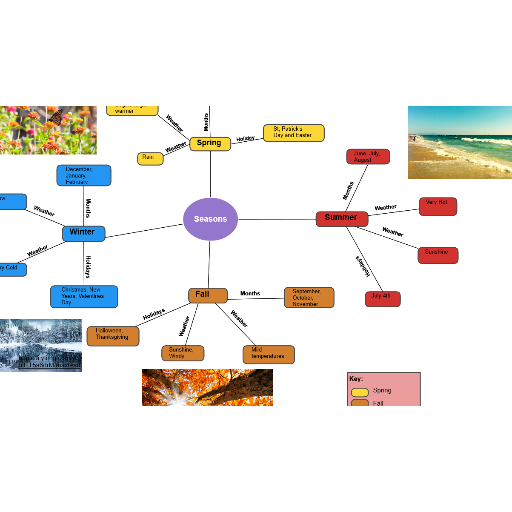
Concept Map:
What is a concept map?
- A concept map is a diagram that shows relationships between concepts, usually involving lines that connect to one or more concepts.
- I used to think that concepts maps were pointless and too time consuming. I now think that they are beneficial because it is not meant to be detailed, instead it is used to show a bigger picture.

Infographics:
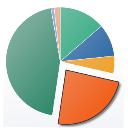
What is an Infographic?
- An Infographic is a form of a visual image: charts, diagrams, etc.
- Canva is a great website to use to create flyers, posters, timelines, and so much more. It is easy to navigate and there are so many features you can use to make your project unique and your own. I could have my students research diseases that correlate with the specific human body parts/functions we are learning about in class and create a poster about it.
- Before taking this course, I did not know what an Infographic was based off the name, but charts and diagrams are definitely important in a school setting because a teacher must find a way to satisfy the needs of every learner.

Module 6: Edtech Reviews
Google Sites
What is Google Sites?
- This is a Google feature that allows one to create a website. It is super easy to navigate and making a website has never been easier.
- I used to think that there were no easy templates for making websites, but this course has showed me that Google offers a lot of cool and unique apps for members. This is a great tool to use in class because students can learn how to build their own website. They will then be able to use this skill anywhere, whether other classes, college, work, or just for personal use.

- Full access to our public library
- Save favorite books
- Interact with authors
- < BEGINNING
- END >
-
DOWNLOAD
-
LIKE
-
COMMENT()
-
SHARE
-
SAVE
-
BUY THIS BOOK
(from $4.59+) -
BUY THIS BOOK
(from $4.59+) - DOWNLOAD
- LIKE
- COMMENT ()
- SHARE
- SAVE
- Report
-
BUY
-
LIKE
-
COMMENT()
-
SHARE
- Excessive Violence
- Harassment
- Offensive Pictures
- Spelling & Grammar Errors
- Unfinished
- Other Problem






COMMENTS
Click 'X' to report any negative comments. Thanks!