

Learning With Technology
With our world constantly progressing, it is important to ensure that classroom are staying up to date. Technology has made its appearance more prevalent; however it is important to make sure that we are using technology correctly and effectively. One way to make teachers can make sure that technology
is being used effectively is by following the characteristics of meaningful learning: active, constructive, intentional, authentic, and cooperative.
It is important for teachers to understand this concepts because it ensures that students are getting the most out of their lesson. Teachers can intergrat active learning in the classroom by allowing students to work with online labs and simulations. Constructive learning can be utilized by allowing students to communicate with each other and use online sources to connections with what they already know. Intentional learning can be used because teachers can create a goal for their students to work toward. Technology usage also allows for students to easily make connects to real world scenarios. Cooperative learning can also be used in the classroom with technology because it allows students to easily share presentations and documents with each other through their computers.
Productivity Tools
Many are familiar with productivity tools that are related with technology. These tools pose a number of benefits to both the students and the teachers. Productivity tools can defer from depending on the computer and the operating systems. Some of the most familiar productivity tools are Microsoft Office and G Suite. G Suite has tools such as Google documents, slides, sheets, and forms.
All of the tools on G Suite are easy to use and are free to use on any device. All of the tools allow for collaborative work because they can be shared with others. This allows students to work on the same project at the same time, while being on seperate devices. Teachers can even have access to their students projects and can leave comments to help guide students. These tools can allow students to write papers, make presentations, and organize information. Teachers can even use Google Sheets to organize their students information or to help with lesson planning. Google Forms is also a create way for teachers to customize quizzes and assignments for their students. Teachers can then have easy access to the students' results and can have easy access to grades, due to automatic grading.
Digital Organization
Digital organization tools are a important when it comes to education. Digital organization tools help to enhance the learning experience and to engage students the learning process. These digital tools are helpful because they allow the students and the educators to collaborate more effectively and organize their ideas. Digital organization tools can be used in the classroom because they make learning more personal and engaging. These types of tools also help provide information and resources more effectively.
Diigo Connections, Pinterest boards, and Wakelet are examples of digital organization tools that help lay out information neatly, while also including useful information, pictures, organizers, and personal input. This is a great source that teachers and students can use to organize information while also being creative. These are great sources for students to use to present and organize data. These sites also allow for people to have access to other creator's content.


Digital Citizenship, Online Safety, and Cyberbullying
Digital organization is about using technology appropriately and responsibly. Digital citizenship and cyberbullying are important concepts for teachers to understand. Teachers can show students how to interact and use the internet safely and effectively. Understanding cyberbullying can decrease aggression and violence, which helps promote a safe environment for their students and benefit their education. It is important for teachers to inform their students about digital citizenship; it helps students understand what information is safe to share and how to protect their personal information. It ensures that students are interacting safely with others on the internet.
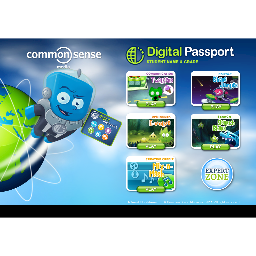
Gamification like Common Sense Media's E - Volve game is a great way to teach the important topic of digital citizenship and cyberbullying. This allows students to use technology and remain interested while learning about these important lessons. These games also provide realistic scenarios that students may face and how to respond correctly to them. These games are a great way to promote student engagement and willingness to learn about appropriate technology and internet usage. Teachers can include these site in their lesson before they get started in using technology.
Audio and video
Audio and videos is a great tool that students can use to help get their points and information across to the audience. Audio and videos makes it easy for students to easily share their thoughts and ideas into words rather than putting it on paper. Students can then use their imagination to make their recording as creative as they wish; they can add images, videos, sound effects, and more to personalize their creation even more.


Teachers can even use forms of audio and video to easily provide information in a fun and entertaining way to their students (thus, increasing student engagement). This could be a center, played for students in your absence, or published to your website for students to access at home. Teachers can create a audio or video and play it at the beginning of class for their students to hear. Teachers can then have their students answer questions or discuss with each other what the podcast was about. Teachers can also have their students create a podcast and answer certain question for homework. This is a great way for students to complete assignments in a form that is not writing.
Assessment
Assessments are used to evaluate whether students are able to meet the learning objectives and goals of the lesson. It should be an integral part of each and every lesson, and is used throughout the process of learning. Teachers should be assessing students during the beginning, middle, and end of the lesson to make sure that they understand the content. It lets the teacher know if the student is understanding the material, and can also help the teacher self evaluate their own lesson and teaching. Assessments allow for teachers to see what the students strengths and weaknesses are.
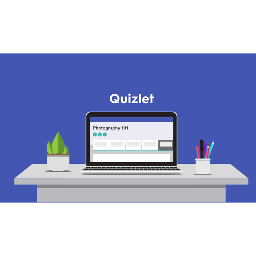
Kahoot, Formative, and Quizlet are all great examples of assessments tools that teachers and students can use in their education. Teachers can personally create a quiz of their choice based off of a specific lesson and then present it to their students to take. These can be great methods of review as well. Students can also easily create their own assessments as a way to help them study as home. Teachers can use these assessment tool to make review interactive and fun in class. The teacher can have the students compete for a small prize; this will give the students an incentive to engage in review and participate.
- Full access to our public library
- Save favorite books
- Interact with authors
- < BEGINNING
- END >
-
DOWNLOAD
-
LIKE
-
COMMENT()
-
SHARE
-
SAVE
-
BUY THIS BOOK
(from $3.99+) -
BUY THIS BOOK
(from $3.99+) - DOWNLOAD
- LIKE
- COMMENT ()
- SHARE
- SAVE
- Report
-
BUY
-
LIKE
-
COMMENT()
-
SHARE
- Excessive Violence
- Harassment
- Offensive Pictures
- Spelling & Grammar Errors
- Unfinished
- Other Problem





COMMENTS
Click 'X' to report any negative comments. Thanks!