This product is a digital handbook prepared by our students, working together with their teachers, to ensure that they can use the internet and social media more consciously and correctly.

E-security Digital Handbook Topics
PAGE TOPİC
4 What is E-Security?
5 8 Golden Rules for a Secure Password
6 Phishing and Scams
7 Cyberbullying
8 Data Privacy and Personal Information
9 Device Security and Updates
10 Digital Addiction and Conscious Use
11 Suspicious Links and Files
12 How to identify and protect yourself from an unsafe website ?
PAGE TOPİC
13 Game Security and Online Chats
14 Deepfake and Fake Information
15 Cyber Threats and Precautions to be Taken
16 Social Media Security
17 Legal Rights and Digital Citizenship
18 Artificial Intelligence and Data Security
19 E-Commerce and Online Shopping
20 Two-Factor Authentication (2FA)
21 Safe Wi-Fi Usage
22 Cyber insurance
E-security Digital Handbook Topics
What is E-Securityr?
E-Security (Electronic Security) refers to the protection of digital data, systems, and devices from cyber threats such as hacking, malware, phishing, and identity theft. It ensures the confidentiality, integrity, and availability of information in digital environments.
- Network Security – Preventing cyber threats in networks using firewalls, VPNs, and encryption.
- Authentication & Access Control – Using passwords, biometrics, and Two-Factor Authentication (2FA) to prevent unauthorized access.
- Malware Protection – Defending against viruses, ransomware, spyware, and other malicious software.
Mirela Carmen Stanciu, Mihai, Lavinia, Sonia, Gabriela, Buzău, Liceul cu Program Sportiv ”Iolanda Baș Soter”

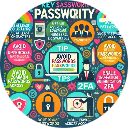
8 Golden Rules for a Secure Password
1. Don't make your password short, make it long-lasting! Make it at least 8-12 characters long.
2. Simple passwords like your name, birthday, phone number or 123456 won't protect you, add uppercase, lowercase, numbers and special characters: P@ncak3!
3. Don't use the same password everywhere. If someone figures it out, they can access all your accounts!
4. Don't write your passwords on a piece of paper and leave them on the table! You can use a password manager.
5. Change your password regularly, old passwords are tiring!
6. Secret question? Don't let it be easily guessed! If they ask "What's your favorite food?" don't write "pizza", write "ElmalıTarta42!"
7. Turn on two-step verification (2FA), the second lock is always better! +=
8. Don't click on suspicious links!
Cyberbullying: Be Aware, Protect Yourself!
Cyberbullying is the act of harming, harassing, or embarrassing someone through the internet or social media.
Effects:
Emotional distress and loss of self-confidence
Decline in academic performance
Problems in social relationships
Protection Strategies:
Limit your online sharing.
Block and report bullying.
Talk to a trusted adult.
.
Ayşe KUMCU-Haktan, Ecrin, Elmas, Metin, Batu-Sinop Sarı Saltuk Anatolian High School
What are the symptoms of digital addiction?
Uncontrolled Cravings, difficulties in time management, disrupted sleep patterns, decline in work and academic performance, social isolation, changes in mood and physical health problems can be the symptoms of digital addiction.
How can we prevent digital addiction and promote conscious use of the technology?
1. You should set some limits. By setting boundaries, one can cultivate discipline over tech habits.
2. You should find some alternative activities like doing mindfulness exercises or obtaining a hobby.
3. You should seek for help, if you think you need it. You can join support groups or consult a professional.
Many people face tech addiction in this digital era, but it’s a hurdle that can be overcome. You can regain control over your tech use by setting boundaries, exploring offline activities, leveraging technology effectively, and seeking support.
DIGITAL ADDICTION AND CONSCIOUS USE OF THE DIGITAL DEVICES
Ceren Aydın- Hiranur-Umut-Ömer- Emine- Muhammed
Suspicious Links and Files
Ways to protect yourself from malware
1. Recognizing Suspicious Links & Files
Elena-Dana Toma-Nicolau Irina, Elena, Alexia, Rareș
Liceul cu Program Sportiv Iolanda Balaș Soter Buzău
2. Avoiding Malicious Files
# Scan all downloads
3. Strengthening Your Security
@ Use a password manager
4. Safe Browsing Habits
& Use a browser with security extensions
Emine Nigar/Gazi Şahin Anatolian High School Elmadağ,Ankara
Yağmur-Ceylin-Eylül-Nisa-Nisan-Ecrin-Alya GŞAL


- Full access to our public library
- Save favorite books
- Interact with authors
- < BEGINNING
- END >
-
DOWNLOAD
-
LIKE(2)
-
COMMENT()
-
SHARE
-
SAVE
-
BUY THIS BOOK
(from $2.99+) -
BUY THIS BOOK
(from $2.99+) - DOWNLOAD
- LIKE (2)
- COMMENT ()
- SHARE
- SAVE
- REMIX
- Report
-
BUY
-
LIKE(2)
-
COMMENT()
-
SHARE
- Excessive Violence
- Harassment
- Offensive Pictures
- Spelling & Grammar Errors
- Unfinished
- Other Problem






COMMENTS
Click 'X' to report any negative comments. Thanks!